AI Home Design: How to Redesign Any Room, Exterior, or Yard with AI (2026)
AI home design tools let you visualize interior styles, remodel kitchens, redesign exteriors, and stage rooms — in seconds. Here's how to actually use them.
Remodel AI Team
March 20, 2026 · 11 min read
Not long ago, seeing your home in a completely different style meant hiring an interior designer, paying hundreds of dollars for a consultation, and waiting weeks for hand-drawn renderings. Then you would cross your fingers, commit to the renovation, and hope it looked as good in real life as it did on paper.
AI home design has changed all of that. Today you can upload a photo of your living room and see it as a Japandi sanctuary, a bold maximalist showroom, or a clean Scandinavian retreat in under 30 seconds — for free.
This guide covers how AI home design works, what it can do, and how to get started.
What is AI home design?
AI home design refers to the use of artificial intelligence — specifically generative image models and computer vision — to visualize, redesign, and plan living spaces from photographs. Instead of working from blueprints or swatches, you provide a real photo of your existing room, and the AI renders a photorealistic version of that same space in a new style, color palette, or configuration.
Modern AI home design tools can handle:
- Interior rooms in 30+ decorating styles
- Exterior facades and curb appeal
- Kitchen and bathroom remodels
- Landscape and garden layouts
- Virtual staging for vacant properties
- Specific upgrades like new flooring, paint colors, furniture, or object removal
The underlying technology — diffusion models trained on millions of interior and architectural images — has gotten much better since 2022. Results that used to look cartoonish are now realistic enough that homeowners, real estate agents, and professional designers use them for real decisions.
Interior design: 30+ styles to try
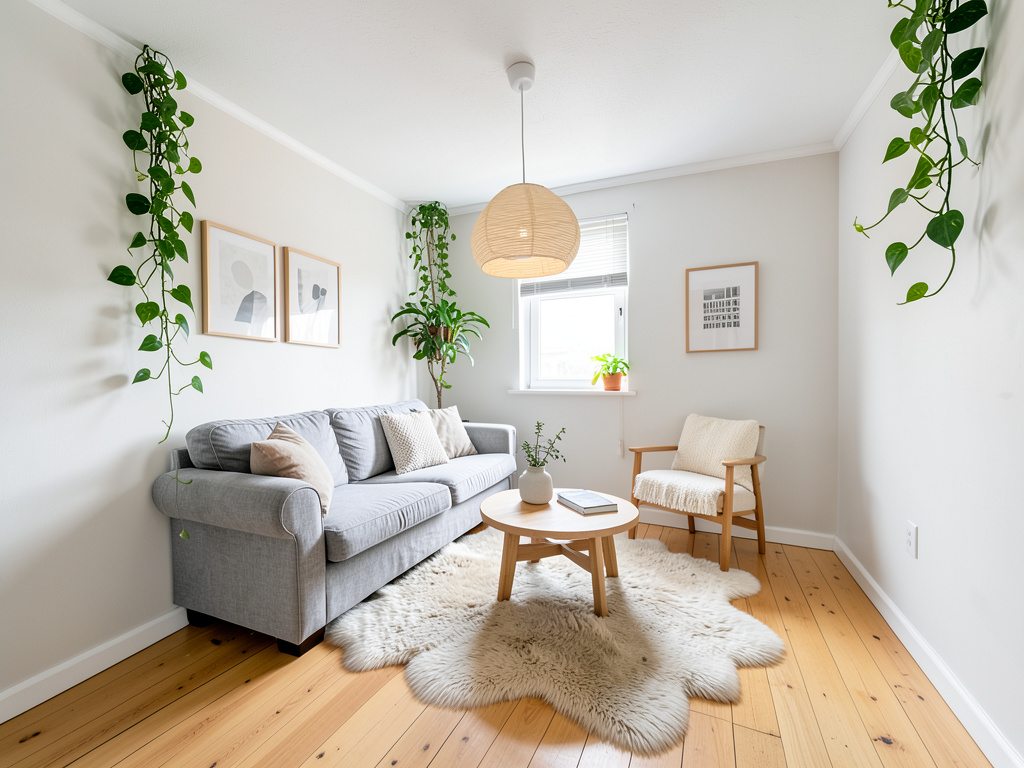
The most popular use of AI home design is interior redesign. You photograph your living room, bedroom, dining room, or home office, and the AI reimagines it in a new aesthetic while preserving the room's architecture — windows, doors, ceiling height, natural light.
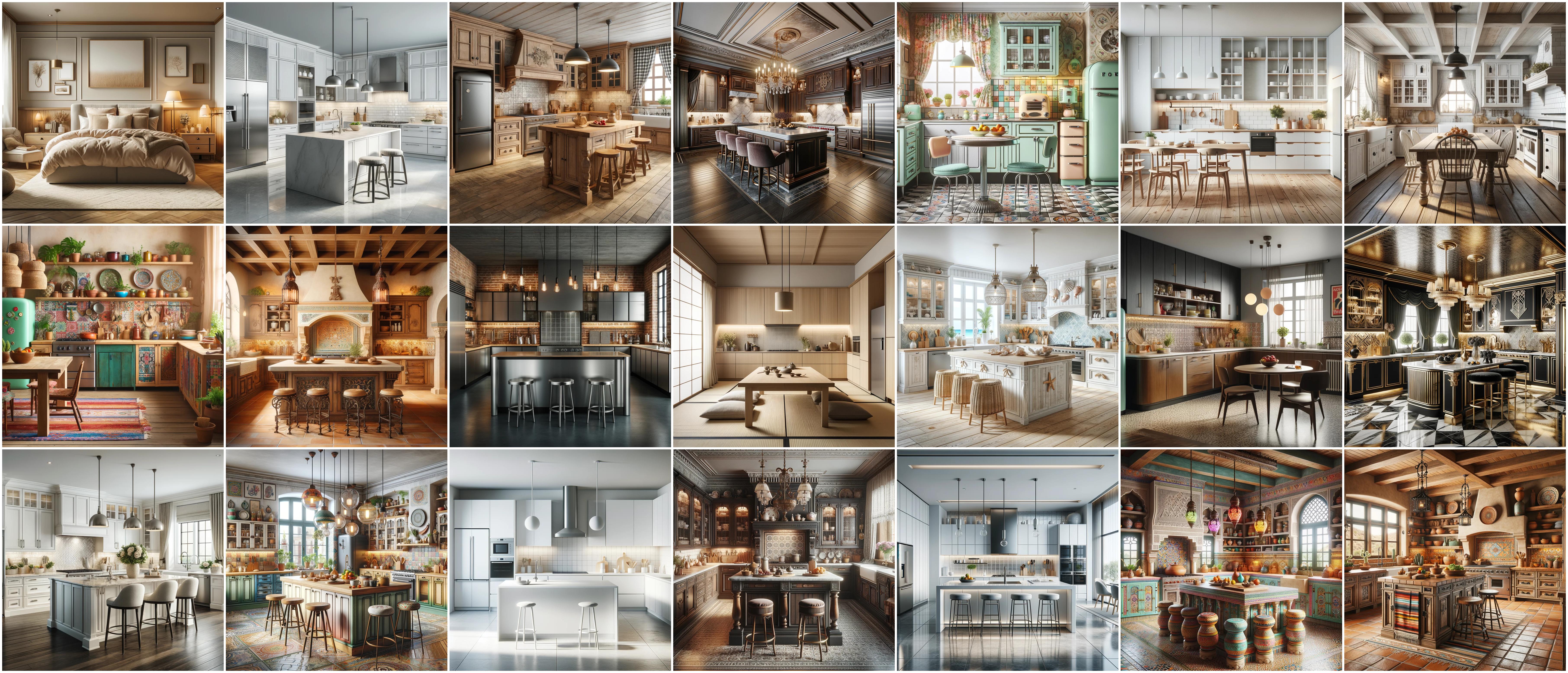
Here's what's available in a tool like RemodelAI:
Minimalist and Nordic styles: Scandinavian, Japandi, Wabi-Sabi, Modern Minimalist, and Danish Modern emphasize clean lines, natural materials, and calm palettes. These are consistently among the most-requested AI home design styles because they're aspirational but hard to visualize from Pinterest boards alone.
Classic and traditional styles: Victorian, Colonial, French Country, Tuscan, Mediterranean, and Art Deco translate beautifully through AI because the design language is specific and recognizable — the model knows exactly what crown molding, tufted furniture, and warm wood tones look like together.
Contemporary and transitional: Mid-Century Modern, Industrial, Contemporary, Transitional, and Eclectic give you the versatility that most real homes actually need. Pure styles are rare; blended styles are common.
Bold and expressive: Bohemian, Maximalist, Art Nouveau, Hollywood Regency, and Cottagecore appeal to homeowners who want personality and warmth rather than restraint.
Specialized aesthetics: Coastal, Farmhouse, Rustic, Biophilic, Zen, Southwestern, and Japanese Traditional serve specific regional tastes and lifestyles.
The value of AI home design here is not just in seeing the finished look — it is in the ability to compare styles side by side. You can generate your living room in Scandinavian, then Mid-Century Modern, then Industrial, and choose based on what you actually see rather than what you imagine.
Exterior and curb appeal
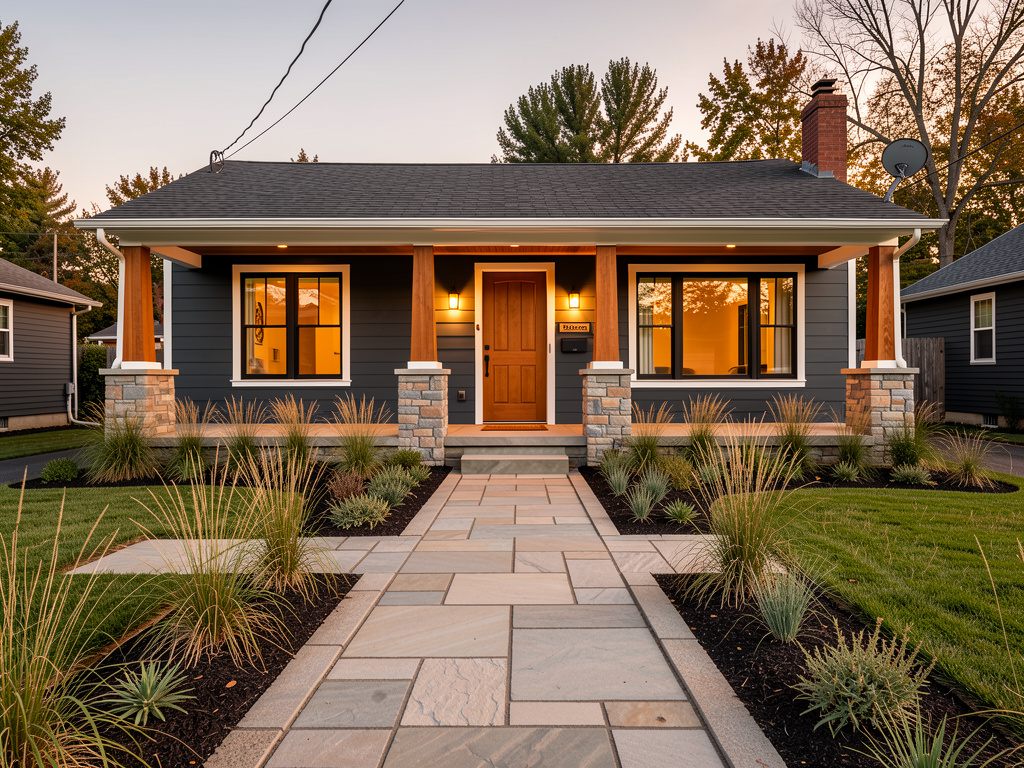
AI home design extends well beyond interior rooms. Exterior redesign is one of the fastest-growing use cases because curb appeal is so difficult to visualize. Paint color swatches never look like a whole house, and contractor renderings are expensive.
With AI home design, you photograph your home's front elevation and apply any of the major architectural styles:
- Modern and Contemporary — flat or low-pitch rooflines, horizontal cladding, large windows
- Craftsman — covered porches, tapered columns, exposed rafter tails, earth tones
- Colonial Revival — symmetrical facade, shutters, brick or clapboard siding
- Mediterranean and Spanish Revival — stucco walls, terracotta roof tiles, arched windows
- Victorian — ornate trim, bay windows, multi-gable rooflines
- Cape Cod — steep rooflines, dormers, symmetrical windows with shutters
- Ranch — single-story horizontal emphasis, attached garage, simple landscaping
- Tudor — half-timbering, steeply pitched cross gables, decorative chimneys
- Farmhouse — board-and-batten siding, metal roof accents, front porch
- Mid-Century Modern — post-and-beam construction, clerestory windows, flat planes
- Scandinavian — clean geometry, dark cladding, minimal ornamentation
Beyond full style transformations, AI home design tools can also visualize specific exterior changes: new paint colors, different siding materials, updated garage doors, or added landscaping — without committing to a single aesthetic overhaul.
Kitchen and bathroom remodeling
Kitchen and bathroom remodels are among the most expensive home improvement projects, with kitchens averaging $25,000–$50,000 and bathrooms $10,000–$25,000. They are also the renovations where visualization matters most, because the gap between "I think I want white cabinets with brass hardware" and actually seeing that combination in your specific kitchen is enormous.
AI home design closes that gap. You photograph your existing kitchen or bathroom and can instantly see:
- Cabinet style and finish changes (shaker vs. flat-front vs. raised panel)
- Countertop material and color (quartz, marble, butcher block, granite)
- Backsplash patterns and tile choices
- Fixture and hardware finishes (brushed nickel, matte black, polished brass)
- Flooring transitions (tile to hardwood to luxury vinyl)
- Lighting changes (recessed, pendant, under-cabinet)
For bathrooms, AI home design handles tile selection, vanity styles, bathtub vs. walk-in shower configurations, and the overall aesthetic — spa-like modern, vintage maximalist, clean minimalist.
The practical upside: instead of paying a kitchen designer $150/hour to draw up three concepts, you can generate 20 variations in an afternoon and arrive at that consultation knowing exactly what direction you want to go.
Landscape and garden design
AI home design covers outdoor spaces too. Landscape redesign lets you photograph your backyard, side yard, or front garden area and see it in a completely different configuration.
Available landscape styles include:
- Formal English Garden — geometric hedges, symmetrical planting beds, clipped topiaries
- Japanese Zen Garden — raked gravel, carefully placed stones, moss, minimal plantings
- Mediterranean Drought-Tolerant — lavender, rosemary, olive trees, terracotta accents
- Cottage Garden — dense informal planting, climbing roses, perennial borders
- Prairie Native — ornamental grasses, native wildflowers, naturalistic drifts
- Tropical Lush — large-leaf plants, palms, bold color, dense canopy
- Modern Minimalist — geometric hardscaping, ground cover, architectural specimens
- Desert Xeriscape — cacti, succulents, decomposed granite, drought-adapted plants
- Kitchen Garden (Potager) — raised beds, edible plants organized decoratively
- Woodland Shade Garden — ferns, hostas, layered canopy, naturalistic paths
The landscape tool is especially useful for new homeowners inheriting an existing yard who want to understand their options before calling a landscape architect. Even a rough AI visualization helps focus the conversation and reduces the number of back-and-forth revisions.
Virtual staging for real estate
Virtual staging is the real estate industry's version of AI home design, and it has become standard practice for listing vacant properties. Staged homes sell faster and for more money — but traditional staging costs $1,500–$3,000 per listing and requires coordinating furniture delivery and removal.
AI virtual staging places photorealistic furniture, rugs, art, and decor into empty room photos in seconds. The output is used in listing photos on Zillow, Realtor.com, and MLS, where buyers scroll through dozens of homes and empty rooms create no emotional connection.
Beyond vacant staging, AI home design tools can also de-stage occupied homes — removing the current owner's furniture and replacing it with cleaner, more neutral styling — or show buyers what a dated space could look like after renovation.
Real estate agents who use AI home design at the listing stage report that sellers appreciate seeing their home's potential, and buyers engage more deeply with listings that show them possibilities rather than just current conditions.
Specialized tools for specific changes
Beyond full room redesigns, RemodelAI includes purpose-built tools for targeted upgrades:
Floor replacement — Swap carpet for hardwood, change hardwood species, update tile in a kitchen or bathroom. Floor replacement is one of the most impactful renovations for resale value and one of the most difficult to visualize. AI handles it by precisely masking the existing floor and rendering the new material with accurate lighting and perspective.
Paint visualizer — See any wall color in your specific room under your specific lighting conditions. Generic paint apps show colors on a flat wall. AI home design tools apply color to your actual photo, accounting for shadows, furniture, and natural light — which changes how a color appears dramatically.
Furniture swap — Replace individual pieces of furniture without redesigning the whole room. This is useful when you want to keep your existing aesthetic but upgrade one key piece — a sofa, a dining table, a bed frame.
Object removal — Clean up a room by removing clutter, existing furniture you plan to donate, or dated built-ins. Object removal lets you see the bones of a space without distractions, which is particularly useful for buyers evaluating a home or homeowners planning a room from scratch.
How to get started
The whole process takes less than five minutes. Here's how it works with RemodelAI:
Step 1: Take or gather your photos. You do not need professional photography. A well-lit smartphone photo works. For best results, stand in a corner of the room and shoot diagonally to capture as much of the space as possible. Avoid extreme wide-angle distortion or very dark photos.
Step 2: Choose your tool. RemodelAI offers eight specialized tools in one app — interior redesign, exterior redesign, kitchen remodel, bathroom remodel, landscape design, virtual staging, floor replacement, and paint visualizer. Select the one that matches your project.
Step 3: Upload your photo. The app accepts photos directly from your camera roll or file system. No account creation is required to start.
Step 4: Select a style. Browse the style library or describe what you want. For interior redesign, you will see 30+ styles organized by category. For exterior, you will see the major architectural styles. Select one or let the AI suggest based on your existing space.
Step 5: Generate. The AI renders your redesigned space in 15–30 seconds. You will typically receive multiple variations to compare.
Step 6: Refine and save. You can generate additional variations, adjust style intensity, or try entirely different directions. Save your favorites to share with contractors, designers, family members, or a real estate agent.
RemodelAI is available on iOS at the App Store, Android at Google Play, and on the web at remodelai.io/app. New users get 3 free designs with no credit card required.
Who gets the most out of AI home design
Homeowners planning renovations get the most out of AI home design. Before spending $40,000 on a kitchen remodel or $15,000 on exterior painting, being able to generate and compare dozens of realistic options cuts the risk of expensive regret. It's cheap insurance against choosing the wrong direction.
Real estate agents and sellers use AI home design to show buyers a property's potential, virtually stage vacant listings, and help sellers understand why certain updates would increase their home's value. A few AI-generated images added to a listing can materially increase showing requests.
Interior designers and decorators use AI home design to accelerate their concept phase and communicate ideas to clients more effectively. Instead of explaining what a style will look like, they show it — using the client's actual room. This reduces revision cycles and closes projects faster.
Renters and apartment dwellers who cannot make structural changes still benefit from AI home design's ability to visualize furniture arrangements, paint colors (where permitted), and decor changes that work within their existing space.
Property developers and flippers use AI home design to plan renovations quickly across multiple properties, brief contractors more effectively, and create marketing materials before construction is complete.
What it costs: AI home design vs. a designer vs. DIY
| Approach | Cost | Time to Concept | Revision Cost |
|---|---|---|---|
| AI home design (RemodelAI Pro) | $29/month | 30 seconds | Included |
| AI home design (RemodelAI Premium) | $49/month | 30 seconds | Included |
| Freelance interior designer | $75–$200/hour | 1–3 weeks | $75–$200/hour |
| Full-service interior design firm | $150–$500/hour | 4–8 weeks | $150–$500/hour |
| DIY (Pinterest boards, paint swatches) | Free–$50 | Ongoing | Free |
DIY research is free but produces no visualization — you are still guessing. Professional designers produce excellent results but at a cost that makes sense only for large, committed projects. AI home design sits in between: fast, affordable, and photorealistic enough to make real decisions.
RemodelAI starts with 3 free designs. The Pro plan ($29/month) covers most homeowners planning a renovation. The Premium plan ($49/month) is designed for real estate agents, designers, and power users who generate high volumes of designs across multiple properties.
Frequently asked questions
How realistic are AI home design results? Current AI home design tools produce photorealistic results in most cases. The output looks like a real photograph of a redesigned space, not a 3D rendering or illustration. Quality depends on the input photo — well-lit photos with good composition produce the most convincing results.
Do I need any design experience to use AI home design tools? No. AI home design tools are designed for homeowners with no professional background. You select a style, upload a photo, and the AI handles the rest. The tools are navigable in minutes.
Can AI home design replace a professional interior designer? For the concept and visualization phase, AI home design is a genuine replacement — faster, cheaper, and iterative. For project management, trade coordination, material sourcing, and construction oversight, professional designers provide value that AI cannot replicate. Many designers now use AI home design themselves to enhance their service.
How accurate is the AI to what a real renovation would look like? AI home design is best understood as a directional visualization tool, not an exact architectural rendering. It gives you a strong, realistic sense of how a space will feel in a given style. For specific materials, exact dimensions, and construction details, you still need professional plans. Use AI home design to decide the direction, then engage professionals to execute it precisely.
Can I use AI home design for rental properties? Yes. Renters can use AI home design to visualize paint colors, furniture arrangements, and decor changes that are within their lease terms. Landlords can use it to plan renovations between tenants or to virtually stage units for listing. Real estate investors can use it to plan upgrades across a portfolio quickly.
Is my photo data kept private? RemodelAI processes photos to generate designs and does not sell or share your images. Review the full privacy policy at remodelai.io for details on data handling.
Eight tools, one app
RemodelAI puts eight AI home design tools in a single app: interior redesign, exterior redesign, kitchen remodel, bathroom remodel, landscape design, virtual staging, floor replacement, and paint visualizer. You don't need to bounce between apps for different parts of your project.
Whether you're planning a full renovation, preparing a home for sale, or just curious what your space could look like — you can see it before you commit to it.
Start with 3 free designs — no credit card required. Download on iOS, Android, or use the web app at remodelai.io/app.
Ready to Try AI Interior Design?
Upload a photo and redesign any room in seconds. 3 free designs, no signup required.